For real estate agents
Real estate photo editing for agents, right from your phone.
Turn a phone photo into a twilight hero shot, stage an empty room, clear the clutter and draw the boundary, at the property and between appointments. Your first 50 edits are free.
Try 50 edits freeNo card. Sign up with your Google account. One credit per edit after that, with one free revision.
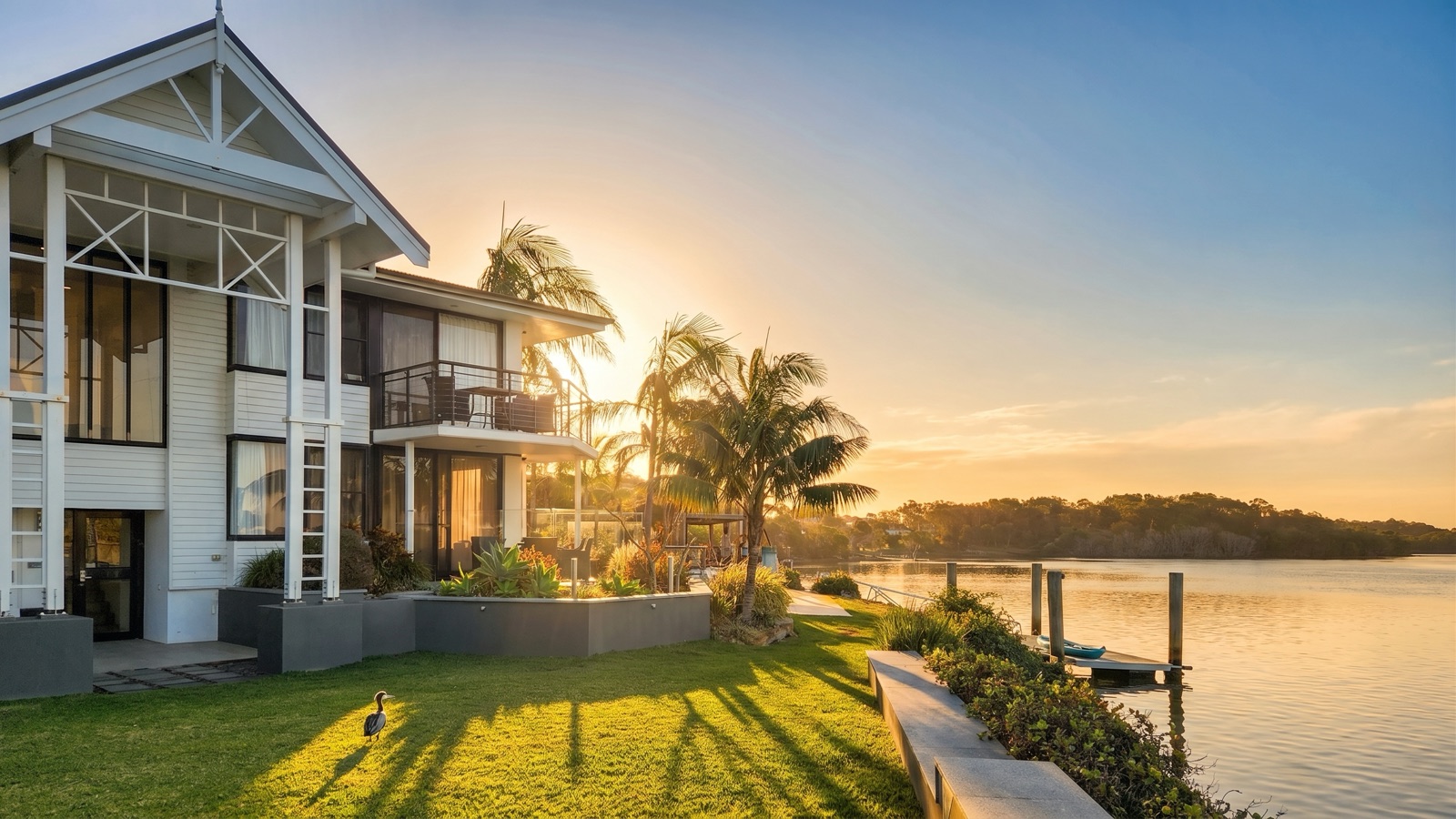
Hold to compare · Early Dusk: same photo, same house. The original was shot on a phone on a grey afternoon.
Shot on a phone, finished at dusk
Hold the photo to see the original, taken on a grey afternoon.
Built for the jobs no shoot is booked for.
Win the appraisal
Photograph the front of the house when you arrive, and show the vendor their own home at dusk before you leave the kitchen table.
List before the shoot
Off-market, pre-market, or a rental that needs to go up today: shoot it on your phone and have listing-ready photos while the photographer is still booked out.
Refresh a tired listing
Thirty days on the portals and no enquiry. Restage the empty rooms, swap the grey sky and relaunch with a new hero shot, on the photos you already have.
Already have a photographer? Keep them. Duskpix works on the set they deliver too, for the add-on you decide you want after the shoot. Whether you can edit their photos depends on your agreement with them, so always check with them first.
What you can do to a listing photo.
Every pair below is a real edit made in Duskpix. Hold or tap a photo to see the original.
Smart Edit
Type the change in plain English: “remove the bins and the car”. Both go in one edit, for one credit.
More on item removalVirtual staging
Furnish the empty lounge so buyers can see how it lives. The walls, floors and windows stay as shot.
More on virtual stagingDeclutter
A tenant’s belongings, the kids’ toys, the bench covered in mail, cleared without a return visit.
More for rentalsListing Ready
One tap brings a dim or uneven phone photo up to an even, natural light, so it sits beside a professional set.
See every toolBoundary lines
Outline the block on an aerial and dim the neighbours, so buyers see exactly what is for sale. Free on every photo.
More on boundary linesAgency branding
Your agency logo as a watermark, saved once and applied to the whole set. Free on every photo.
More on agency branding
How it works
Take the photo
On your phone at the property, or upload the set your photographer sent. JPEG, PNG or HEIC, up to 25MB a photo.
Say what you want
Tap a look such as Twilight or Listing Ready, or type the change you want. An edit takes about 30 seconds.
Send it to the portals
Compare each edit with its original, keep the ones you like and download them for the portals, social or the signboard.
Edited, and still accurate.
A listing photo has to represent the property as it is. Duskpix is built to change the light, the sky and what is sitting in the room, and to leave the building as shot: the same walls, windows and floors, and no renovation that was never done.
Virtually staged photos need a disclosure on the listing, and the rules differ by state. Our state by state guide to staging disclosure has the detail and wording you can adapt.
What it costs after the free ones.
Your first 50 edits are free, with no card. After that it is one credit per finished photo, whichever tool you use. Top up from A$10 when a listing needs it, or take a monthly plan from A$29.
Pay as you go credits never expire. Plan credits roll over each month while you subscribe, up to three months of your plan's allowance. Pay as you go keeps no card on file, one revision of every finished edit is free, and a failed edit refunds its credit automatically.
See the plans and top-upsCommon questions
Are phone photos good enough for a listing?
A modern phone photo, taken level and in good light, is plenty for the portals once it is edited. Our guide to shooting listing photos on a phone covers the preparation, the angles and the light.
Can I edit photos my photographer took?
Yes. Upload the set as JPEGs and add twilight, staging or a cleanup to any photo, without booking another visit.
Do I need to disclose virtual staging?
Yes. A listing has to say when a photo has been virtually staged, and as the agent publishing it, that falls to you. Our guide to what is and is not allowed when editing listing photos covers the rest.
Can I put my agency’s logo on the photos?
Yes. Save your logo once and it can be applied to the whole set as a watermark, along with pins and labels in your agency’s colours. Those tools never cost a credit.
Is it good enough for a signboard?
Every edit comes back good for web and print. Choose print size when you download for the signboard, the window card or the brochure.
Do credits expire?
Credits you buy as a top-up, and any bonus credits, never expire. The free welcome credits last 14 days from signup, and are used before any you buy. Credits that come with a monthly plan roll over while you subscribe, up to three months of your plan's allowance.
Your next listing. Photos ready today.
Start with 50 free edits on your own listing photos, straight from your phone.
Try 50 edits freeNo card. Sign up with your Google account.