For real estate photographers
Real estate photo editing, done before you leave the driveway.
Twilight, virtual staging, declutter, sky and lawn fixes, from your phone or your desk. One credit per finished photo, web and print ready, and your first 50 edits are free.
Edit 50 photos freeNo card. Sign up with your Google account. One credit per edit after that, with one free revision.
Hold to compare · Day to dusk: an early evening sky, the windows lit warm.
Day to dusk, from the daytime photo
Hold the photo to see the original.
What it means for a photographer.
Deliver the same day
A whole set runs in one go, about 30 seconds a photo, so the shoot goes back to the agent the day you take it. No overnight outsourcing queue.
Sell the add-ons, keep the margin
Offer twilight and virtual staging to your agents as add-ons and keep the difference. Your edits are yours to supply to clients and charge for.
Fix the shots you cannot reshoot
Bins at the kerb, cars in the driveway, a tenant’s belongings, a grey sky, a brown lawn. Describe the fix in plain English, or pick a tool.
The tools, on real photos.
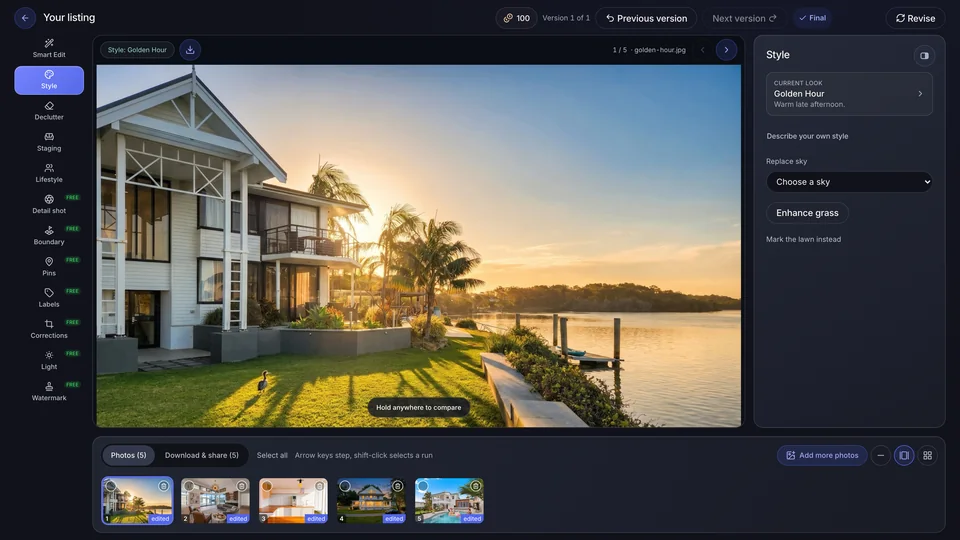
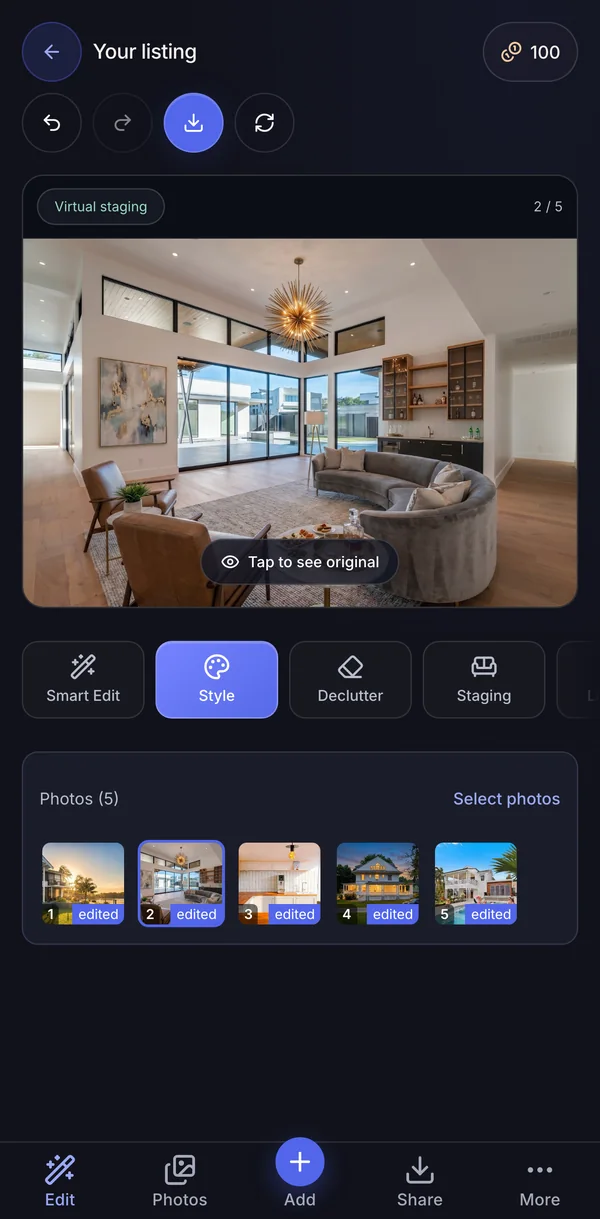
Every pair below is a real edit made in Duskpix. Hold or tap a photo to see the original.
Smart Edit
Type the fix in plain English. A removal and a look can go in the same edit, for one credit.
See every toolDay to dusk
The daytime exterior becomes the twilight hero shot, with the lights on inside.
More on day to duskVirtual staging
Furnish an empty room, with the same pieces across every angle of it. The room itself stays as shot.
More on virtual stagingItem removal
Bins, cars and clutter gone, and the rest of the photo left alone.
More on item removalBoundary lines
Outline the lot on a drone photo and dim the surrounds. Drawn on your photo, so it is free.
More on boundary linesWatermark and agency branding
Your logo saved once and applied to the whole set, with pins and labels in the agency’s colours. Free on every photo.
More on agency branding
How it works
Upload the shoot
JPEG, PNG or HEIC, up to 25MB a photo, from your phone or your desk. One project per shoot keeps the set together.
Describe the change, or pick a tool
Type what you want fixed, or tap a look such as Twilight or Listing Ready. A style runs over the whole set in one go.
Compare and download
Check each edit against its original, choose the final versions and download the set, at web size or print size.
What it costs after the free ones.
Your first 50 edits are free, with no card. After that it is one credit per finished photo, whichever tool you use. Top up from A$10 whenever you need to, or take a monthly plan from A$29.
Pay as you go credits never expire. Plan credits roll over each month while you subscribe, up to three months of your plan's allowance. Pay as you go keeps no card on file, one revision of every finished edit is free, and a failed edit refunds its credit automatically.
See the plans and top-upsMore real edits, each named for its tool.
Listing Ready: a dim timber kitchen brought up to an even light, joinery and benchtop reading properly.
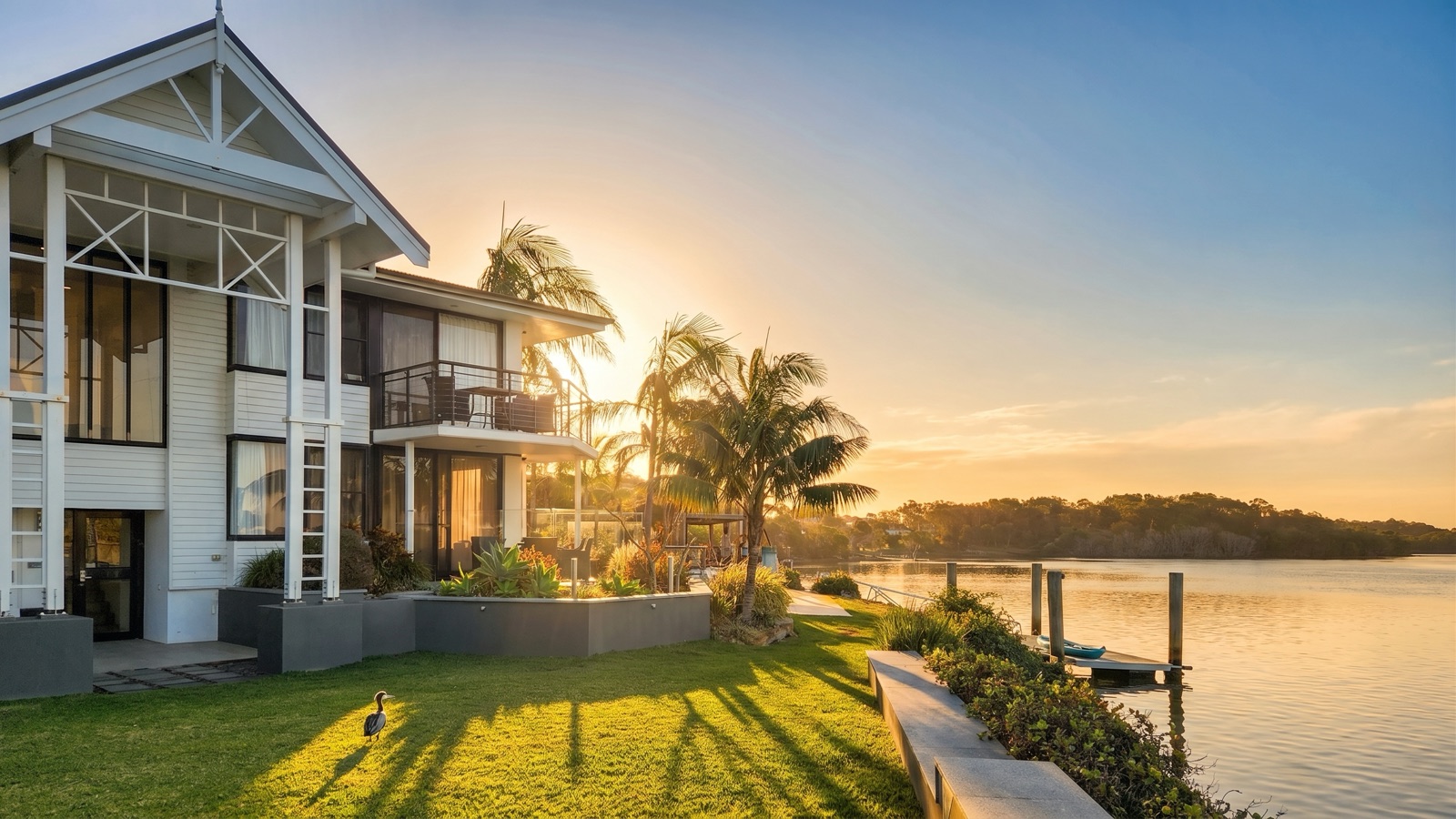
Golden hour: late sun, long soft shadows, property untouched.
Morning Glow: soft sunrise light on an overcast morning.
Declutter: benchtops cleared for the listing shot.
Lifestyle: a family and the dog added, the property untouched.
Corrections: the leaning walls straightened, the frame refilled with no white borders.
Common questions
What files can I upload?
JPEG, PNG and HEIC, up to 25MB a photo. RAW files are not supported, so export a JPEG from your raw processor first.
Do I need to shoot brackets for HDR?
No. We don't merge bracketed exposures, and that is a deliberate choice: we ran head-to-head quality tests, a single frame against the same shot merged from brackets, and the brackets made no visible difference to the finished edit. Send your best single exposure as a JPEG.
Can I resell the edits to my agents?
Yes. Your edited images are yours to use commercially, and that includes supplying them to the agents you shoot for and charging for them. Our Terms say so. Whoever publishes an edited photo is responsible for making sure it represents the property accurately.
Do I need to disclose virtual staging on a listing?
A listing needs to say when a photo has been virtually staged, and that falls to the agent who publishes it. Tell your agent which photos are staged when you deliver the set. Our guide to what is and is not allowed when editing listing photos covers the rest.
What resolution do I get back? Is it print ready?
Every edit comes back good for web and print. Web size suits portals, social, email, brochures and window cards. Print size is a free choice when you download, for signboards and other large-format prints.
Do credits expire?
Credits you buy as a top-up, and any bonus credits, never expire. The free welcome credits last 14 days from signup, and are used before any you buy. Credits that come with a monthly plan roll over while you subscribe, up to three months of your plan's allowance.
You’ve got the shoot. Deliver it today.
Start with 50 free edits on your own photos, and send the set back the day you shoot it.
Edit 50 photos freeNo card. Sign up with your Google account.