Real estate photo editing. Beautifully finished.
Your next listing.In its best light.
Find the light. Clear the clutter. Bring an empty room to life. Finish the whole set from your phone or your desk.
No card. Sign up with your Google account.
See what’s possible.
Listing Ready for any shot. Golden hour or twilight outside. Furnish, declutter or empty a room inside.
3 free edits. No account. No card.
Less imagining. More seeing.
A small change.
A different first impression.
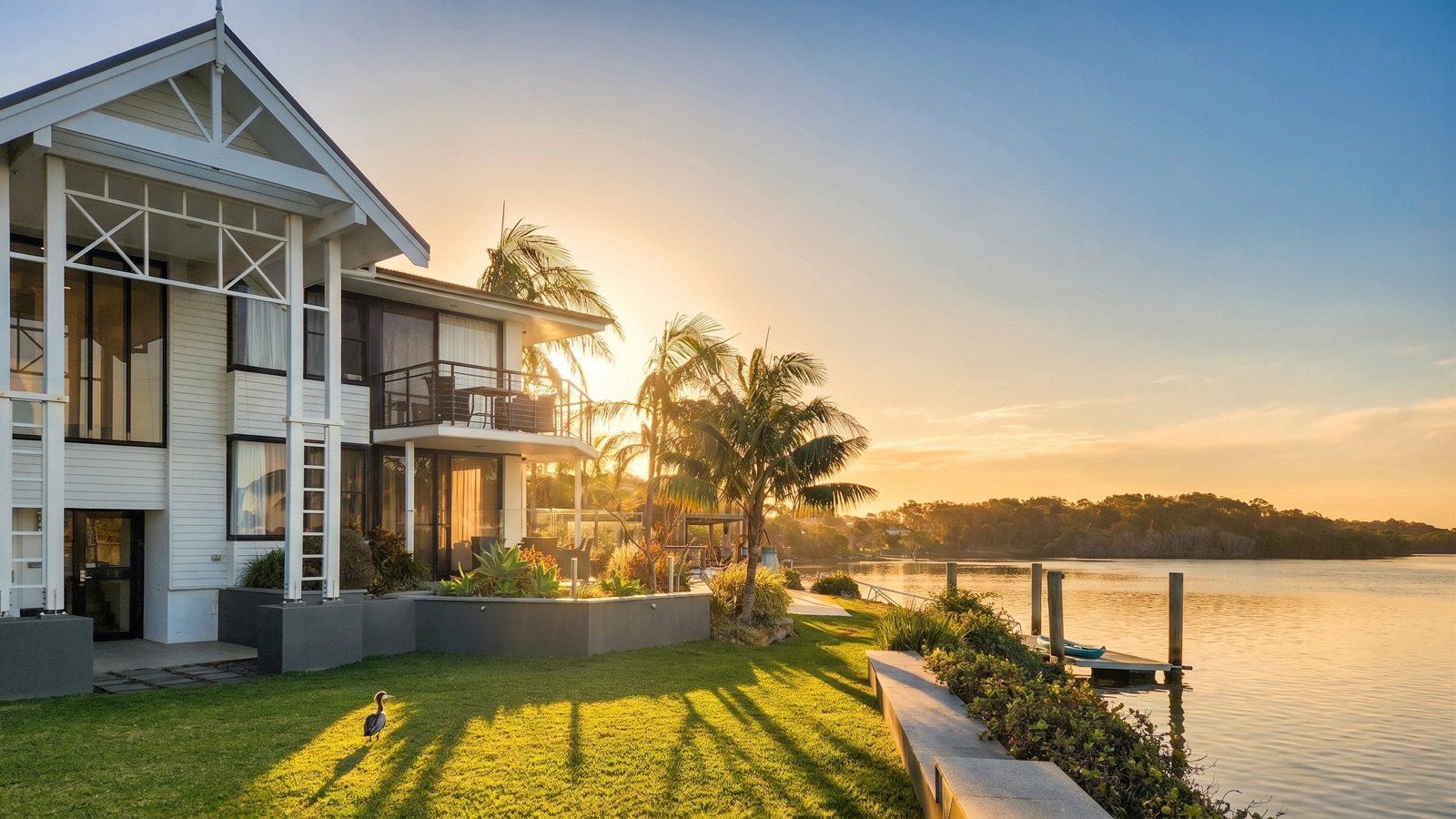
One real photo in every Duskpix style. Choose one, then tap or hold the image to see where it started.
Six looks. One property.
The same Queenslander in each Style look, from the everyday Listing Ready to dusk. Pick one to see it full size and compare it with the original.
From the driveway to the download
Finish the shoot.
Keep your afternoon.
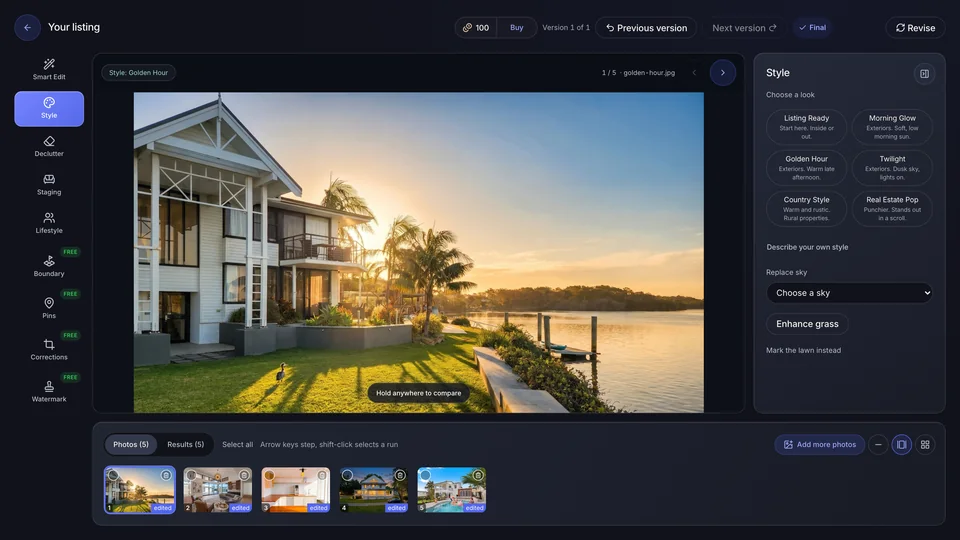
A listing is more than its hero shot. Duskpix is real estate photo editing for the entire set: your photos, edits and final versions stay together, so you finish the job in one place.
Keep the whole shoot together.
One project per listing. Shoot with your phone’s own camera inside the app, or add the photos you already have. Work the way that suits you.
Choose a tool. Or just ask.
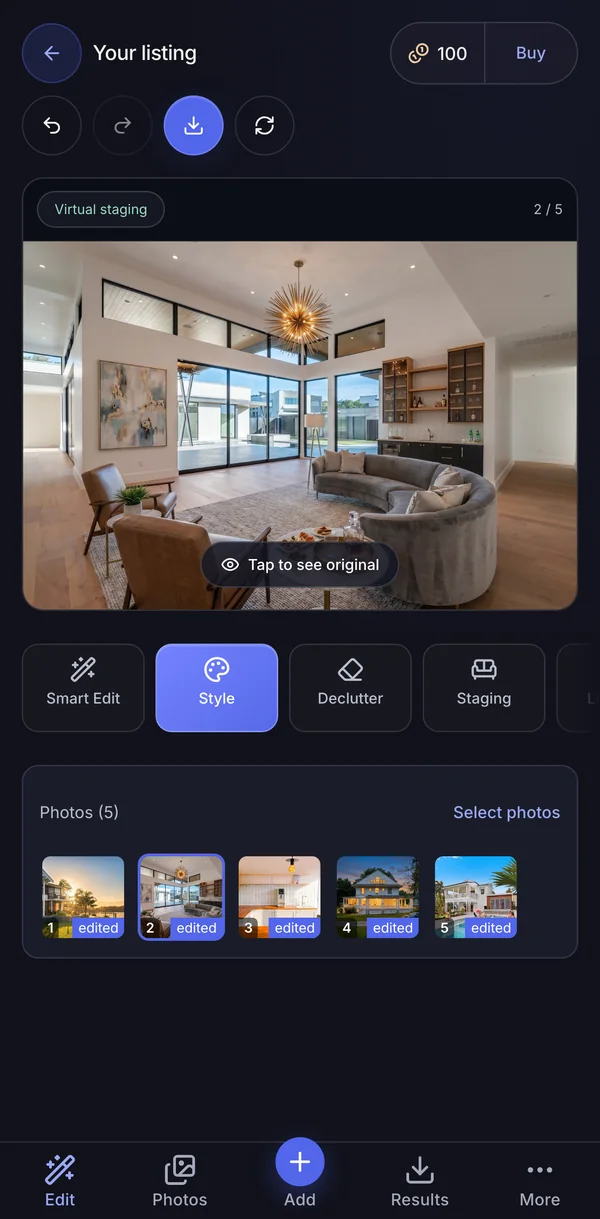
Tap a look, or type the change: “Remove the bins.” Or do both in a single edit, for one credit. Select an area when you need more precision.
Compare, choose and download.
Review against the originals and pick the final versions, and create your full shoot entirely with your phone.
Simple by design
Photos that sell. Straightforward pricing.
Start with 50 free edits. After that, top up when you need to or pick a monthly plan. Every edit is the same price, whichever tool you use, and a revision of an edit you have already paid for is free.
Standard
A$29/month
50 credits a month
- One credit per AI edit, whichever tool you use
- Unused credits roll over while you subscribe, up to 150
- One free revision on every finished edit
- Change or cancel any time
Pro
A$49/month
100 credits a month
- One credit per AI edit, whichever tool you use
- Unused credits roll over while you subscribe, up to 300
- One free revision on every finished edit
- Change or cancel any time
Agency
A$129/month
300 credits a month
- One credit per AI edit, whichever tool you use
- Unused credits roll over while you subscribe, up to 900
- One free revision on every finished edit
- Change or cancel any time
Pay as you go
A$10 for 10 credits
Top up from A$10 to A$100, whenever you need to.
- Credits never expire, so nothing is wasted on a quiet month
- One credit per AI edit, whichever tool you use
- One free revision on every finished edit
- No subscription and no card kept on file
All prices in AUD, including GST. Payments are securely processed by Stripe.
What real estate photo editing can I do?
The whole set, without sending it to an editor. Listing Ready finishes colour and light for professional property photos, and Golden Hour and Twilight relight the exterior, with four skies and lawn repair. Declutter clears a room or empties it, Staging furnishes it, and Smart Edit removes the bins, the car or anything else you describe. Corrections fixes perspective and crop, and Boundary, Pins, Labels and Watermark mark up the photo for the listing.
What’s the difference between the two free offers?
Try 3 edits on the landing page without an account. When you’re ready to work on a full project, create an account to start with 50 free edits. Neither requires a card.
Can I do the whole job on my phone?
Yes. Shoot, upload, edit, compare and download, all from your phone. For editing we recommend a desktop, where the bigger screen makes each photo easier to judge. Photos you take in the app on your phone are on your desktop as soon as they upload, so there is nothing to AirDrop.
Where should I start?
Run Listing Ready over the whole set first. It is the style built for professional property photos. Then pick one or two for a hero shot. Twilight is the classic. We love Morning Glow and Golden Hour, but we’re biased.
What if the result isn’t quite right?
Every finished edit includes one free revision with an optional adjustment. If an edit fails, its credit is refunded automatically.
What should I check before using an edited photo?
Compare it against the original and check that it represents the property accurately. Disclose virtual staging where required.
Do my credits expire?
Credits you buy as a top-up, and any welcome or bonus credits, never expire. Credits that come with a monthly plan roll over while you subscribe, up to three months of your plan's allowance.
You’ve got the photos. Let’s make them professional.
Start with 50 free edits on your own listings. Want to see it first? Try 3 edits right here with no account at all.
Claim your 50 free editsNo card. Sign up with your Google account. Just looking? Start with your photo.